
Filing taxes can be stressful, especially if you’re not ready by the annual deadline. Learning how to file a tax extension allows you to postpone your filing without incurring penalties, provided you pay your estimated taxes on time. A tax extension gives individuals and businesses extra time—usually six months—to submit accurate tax returns while avoiding late-filing fees.
Understanding tax extensions involves knowing the IRS rules, eligibility requirements, and available methods for filing. You can submit extensions online, through tax software like TurboTax, or by mail for businesses. The process ensures compliance while giving you additional planning time to organize income, deductions, or credits.
This comprehensive guide covers how to file a tax extension online, use TurboTax for extensions, submit free online extensions, and extend filing for business taxes. Each section provides step-by-step instructions, actionable tips, and key insights to simplify the process, minimize mistakes, and ensure peace of mind during tax season.
Why Filing a Tax Extension Is Important
Filing a tax extension protects you from penalties for late submissions. While an extension postpones the filing date, it does not delay the payment of taxes owed. Therefore, understanding how to estimate and pay any outstanding tax liability is critical to avoid interest or penalties.
Tax extensions are important for taxpayers facing incomplete records, unexpected life events, or complex financial situations. They also provide additional time for self-employed individuals, freelancers, or business owners who may need extra time to consolidate income, deductions, and expenses.
Extensions reduce stress and improve accuracy, allowing you to file a complete and error-free return. They are not a way to avoid payment but a tool for responsible tax management.
How to File a Tax Extension Online

Learning how to file a tax extension online streamlines the process and ensures immediate IRS acknowledgment. Online filing is faster, more secure, and reduces the risk of errors compared to paper forms. The IRS provides electronic submission methods through their official platform, allowing taxpayers to file Form 4868 for individuals and extensions for various business taxes.
Online filing also offers confirmation receipts and timestamps, providing proof of timely submission. It’s the preferred method for taxpayers seeking efficiency, reliability, and convenience during the hectic tax season.
Step-by-Step Online Tax Extension Process
• Access the official IRS e-file platform
Use IRS Free File or approved e-file providers to begin the extension process. Official platforms ensure security and compliance with IRS standards.
• Complete Form 4868 accurately
Include essential details such as name, Social Security number, and estimated tax liability. Accuracy is key to avoiding processing delays or errors.
• Estimate taxes owed
Even if filing for an extension, taxpayers must pay any owed taxes by the original deadline to prevent interest and penalties.
• Submit electronically through e-file
Electronic submission provides immediate acknowledgment from the IRS, serving as proof of extension filing.
• Confirm submission receipt
Always save or print confirmation for records. This proof is crucial in case of disputes or system errors.
• Monitor IRS portal for status updates
Checking your submission status ensures it has been processed correctly and helps track any follow-up requirements.
Also Read:- How to Cancel Paramount Plus: Complete Guide
How to File a Tax Extension on TurboTax
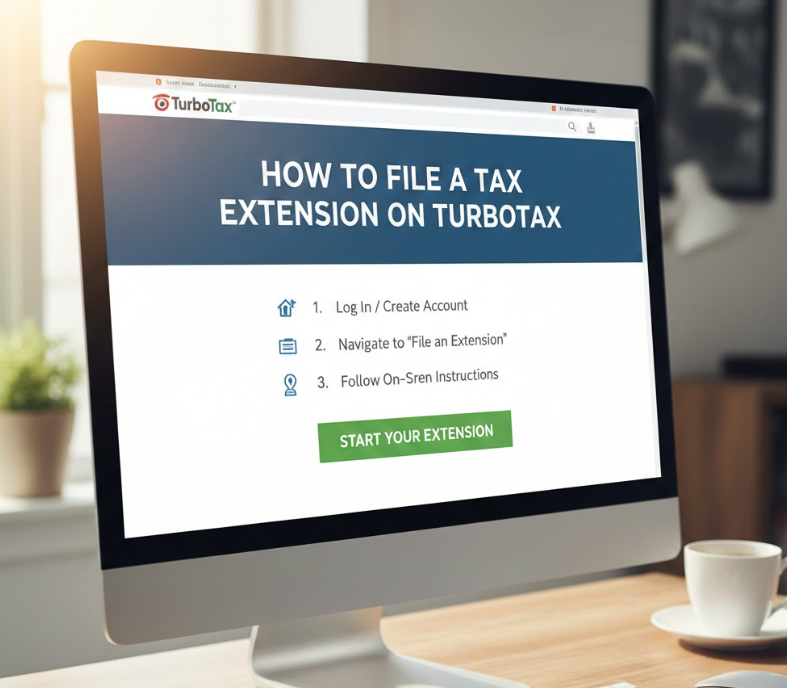
TurboTax simplifies how to file a tax extension on TurboTax by guiding users through IRS-compliant steps. The software pre-populates personal information and uses built-in calculators to estimate payments, reducing mistakes common in manual submission.
Using TurboTax ensures integration with your existing tax data, making it easier to transition from an extension to a full filing once documents are finalized. It also provides guidance for self-employed taxpayers, freelancers, and individuals with multiple income streams.
TurboTax Extension Filing Steps
• Open your TurboTax account and select “Extensions”
TurboTax navigates users to the Form 4868 filing section. Accessing it from your account ensures all personal and income information is pre-filled accurately.
• Confirm personal and tax details
Verify that all information matches your prior filing to avoid errors. Correct data improves the IRS processing speed.
• Estimate payments automatically
TurboTax calculates your tax due based on your income entries, ensuring you pay enough to avoid interest or penalties.
• Authorize e-file submission
TurboTax securely submits Form 4868 to the IRS electronically. Digital signatures verify identity and confirm submission.
• Save the confirmation page
TurboTax provides a downloadable receipt, which serves as legal proof of filing.
• Update your records for full filing later
The system integrates your extension with your upcoming tax return, ensuring a seamless continuation.
Also Read:- How to Change Your Name on Facebook: Complete Guide
How to File a Tax Extension Online for Free

Filing how to file a tax extension online for free reduces costs while still offering secure IRS submission. The IRS Free File program allows eligible taxpayers to file Form 4868 without fees, providing both access and convenience. Free filing is ideal for individuals with simple tax situations or those who prefer not to pay for software.
Free extensions are safe, reliable, and provide confirmation receipts just like paid services. Taxpayers should ensure they use official IRS portals or verified e-file providers to avoid scams.
Steps to File Free Online Extensions
• Visit IRS Free File online portal
Access the official platform to guarantee authenticity. Avoid third-party websites not approved by the IRS.
• Select “File an Extension” option
This directs users to Form 4868 without requiring payment or unnecessary upgrades.
• Enter accurate personal information
Name, Social Security number, and estimated tax liability must be correctly filled in to prevent rejection.
• Estimate your tax payment
Even free extensions require estimated payment of owed taxes to avoid penalties. Enter amounts carefully.
• Submit electronically
Online submission through the IRS Free File portal provides immediate acknowledgment and reduces mailing delays.
• Save and print confirmation
Keep digital or printed proof as evidence of timely filing, which is important for your records.
Also Read:- How to Make Overnight Oats: A Complete Beginner-to-Expert Guide
How to File a Tax Extension for Business

Understanding how to file a tax extension for business differs from individual extensions because businesses have varying forms, deadlines, and filing requirements. Corporations, partnerships, and self-employed entities may need different forms such as Form 7004, depending on tax type.
Business tax extensions protect against late-filing penalties, provide time to gather financial statements, and accommodate complex payroll, deductions, and revenue calculations. Filing extensions ensures compliance while giving accounting teams time for accuracy.
Business Tax Extension Filing Steps
• Identify the correct extension form
Form 7004 is common for corporations, while partnerships and LLCs may have separate forms. Choosing the right form prevents rejections.
• Collect financial records accurately
Income statements, balance sheets, and expense reports are essential for estimating taxes owed.
• Estimate payments to avoid penalties
Businesses must calculate taxes due and pay them by the original deadline even when filing an extension.
• Submit electronically through IRS e-file
Electronic submission is faster and provides confirmation, reducing the risk of lost documents.
• Keep detailed records of submission
Maintain proof of filing and payment for legal, audit, or accounting purposes.
• Schedule time for final filing
Use the extension period wisely to finalize tax return, reconcile accounts, and ensure compliance before the extended deadline.
Also Read:- How to Hang a Picture: A Complete Guide for Perfect Wall Art
Common Mistakes to Avoid When Filing a Tax Extension
Many taxpayers make errors that can result in penalties or delays:
- Forgetting to estimate payments owed
- Entering incorrect Social Security numbers
- Using unverified e-file portals
- Missing deadlines despite filing an extension
- Confusing business and individual forms
- Failing to save proof of submission
Avoiding these mistakes ensures smooth processing and peace of mind.
Conclusion
Learning how to file a tax extension provides flexibility, reduces stress, and ensures compliance with IRS rules. Whether filing online, using TurboTax, submitting for free, or extending a business tax return, following step-by-step procedures guarantees accurate submissions and minimizes penalties. Preparing properly and keeping documentation ensures a smooth tax process and financial peace of mind.
Frequently Asked Questions
Can I file a tax extension after the deadline?
No. Extensions must be filed by the original filing deadline to avoid late-filing penalties.
Does a tax extension delay payment?
No. Estimated taxes are still due by the original deadline. Extensions only delay filing.
How long is a tax extension valid?
Individual and business extensions typically grant six additional months to file a complete return.
For More Visit Alaikas.com