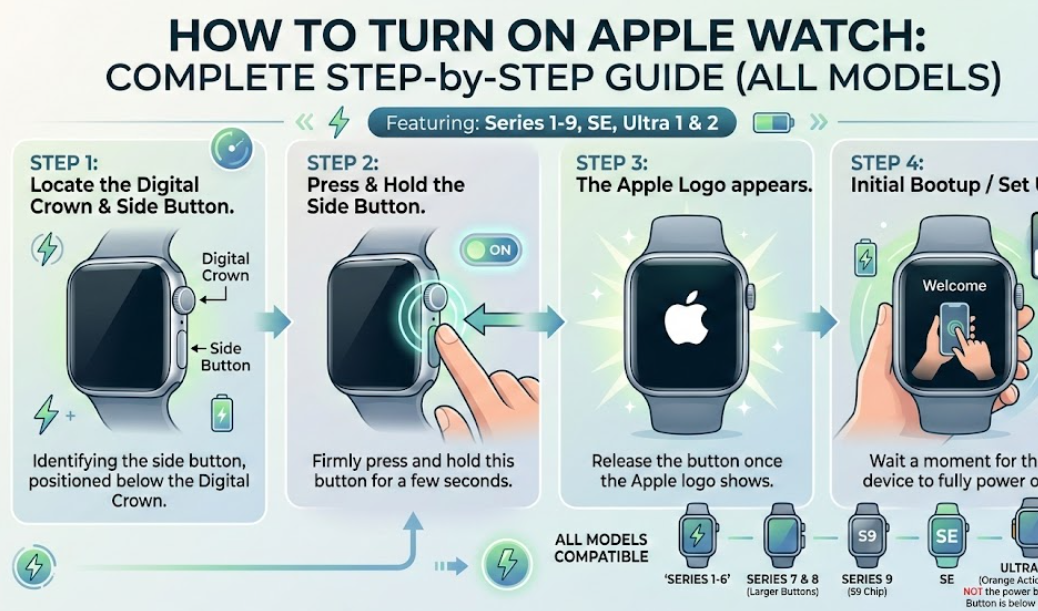
If you’ve just unboxed your smartwatch or your device powered off unexpectedly, you’re probably wondering how to turn on Apple Watch quickly and correctly. Whether you’re using the latest Apple Watch Series 9, the rugged Apple Watch Ultra, or the advanced Apple Watch Ultra 2, the process is simple—but there are important details that many users overlook.
This in-depth guide explains:
- How to turn on Apple Watch properly
- How to turn on Apple Watch while charging
- How to turn on Apple Watch Ultra and Ultra 2
- How to turn on Apple Watch Series 9
- What to do if your watch won’t power on
Written with expert-backed insights and aligned with official documentation from Apple, this article ensures accuracy, clarity, and user-first value.
Understanding the Apple Watch Power System
Before learning how to turn on Apple Watch, it helps to understand how the power system works.
Apple Watch models use a built-in rechargeable lithium-ion battery. According to Apple, most modern models offer up to 18 hours of standard usage, while Ultra models provide extended battery life.
All current watches—including:
- Apple Watch Series 9
- Apple Watch Ultra
- Apple Watch Ultra 2
—use the same basic power-on method.
Also Read:- How to Make a Sticker on iPhone: The Complete 2026 Guide
How to Turn On Apple Watch (Standard Method)

Turning on your Apple Watch is straightforward.
Step-by-Step Instructions
Step 1: Locate the Side Button
The side button is located just below the Digital Crown on the right side of the watch.
Step 2: Press and Hold the Side Button
Press and hold the side button for 3–5 seconds.
Step 3: Wait for the Apple Logo
Release the button when you see the Apple logo appear on the screen.
That’s it. The watch will boot up and display the watch face once ready.
What Happens During Startup?
When you power on your watch:
- The watchOS operating system initializes
- Bluetooth reconnects to your iPhone
- Background apps load
- Health sensors calibrate
- Notifications sync
- Time settings update
Startup typically takes 30–60 seconds.
Also Read:- How to Draw a Car: The Complete Step-by-Step Drawing Guide for Beginners and Kids
How to Turn On Apple Watch While Charging
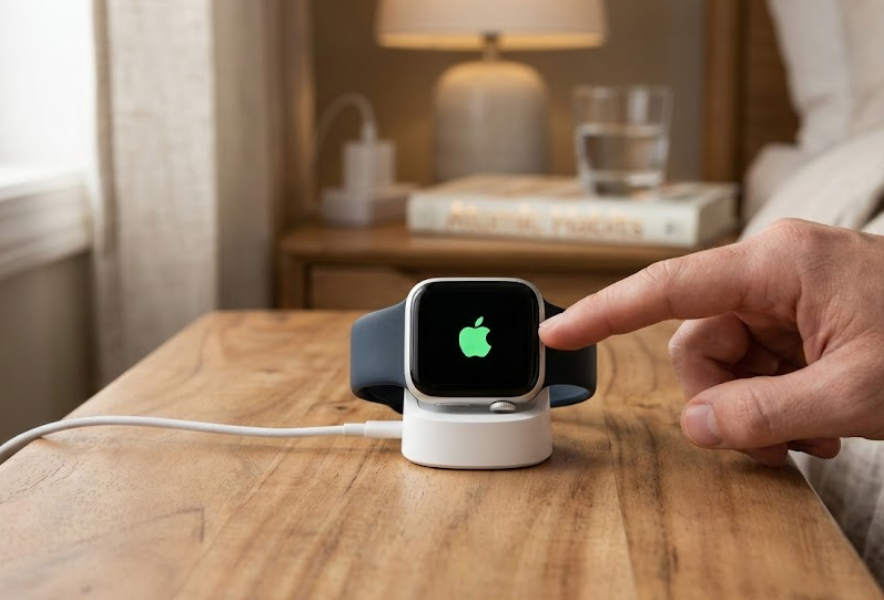
Many users search for how to turn on Apple Watch while charging, especially if the battery is fully drained.
Can You Turn It On While Plugged In?
Yes, absolutely.
If your battery is completely dead:
- Place the watch on its magnetic charger.
- Wait until you see the charging symbol.
- Press and hold the side button.
If the battery is too low, the watch may not power on immediately. It may require 5–15 minutes of charging before startup.
Signs Your Watch Is Charging
You’ll see:
- A green lightning bolt icon
- A charging cable symbol
- Or a red lightning bolt (very low battery)
If nothing appears:
- Check your charger
- Inspect cable connections
- Ensure power outlet works
Apple recommends using official charging accessories for best performance.
Why It Sometimes Won’t Turn On Immediately
If the battery is deeply discharged:
- Lithium-ion batteries require minimal charge before booting
- The system protects internal components
- Cold temperatures may delay startup
Pro Tip: Keep your watch between 0° and 35°C for optimal battery health.
Also Read:-How to Cook White Rice: The Complete Step-by-Step Guide for Perfect Results
How to Turn On Apple Watch Ultra

The process for how to turn on Apple Watch Ultra is nearly identical, but the hardware is slightly different.
Apple Watch Ultra Power Button Location
On Ultra models, the side button is slightly larger and more tactile due to its rugged design.
Steps:
- Press and hold the side button.
- Wait for the Apple logo.
- Release once logo appears.
Ultra models may take slightly longer due to additional system features like precision GPS and enhanced sensors.
What Makes Ultra Different?
The Watch Ultra features:
- Larger battery capacity
- Action button (orange button on side)
- Enhanced brightness
- Titanium casing
- Dual-frequency GPS
- Extended battery modes
Important: The orange Action button does NOT power on the device. Only the side button works for startup.
Also Read:-How to Rent a Car: Comprehensive Guide for Modern Travelers
How to Turn On Apple Watch Series 9

The how to turn on Apple Watch Series 9 method is identical to other models.
Steps:
- Press and hold the side button.
- Wait for Apple logo.
- Release button.
The Watch Series 9 offers:
- Always-On Retina display
- Faster Siri processing
- Improved brightness
- On-device Siri
- Precision Finding
- Enhanced battery efficiency
Startup is typically under 45 seconds.
What If Apple Watch Won’t Turn On?
Sometimes the watch doesn’t power on. Here’s how to troubleshoot.
1. Check the Battery
Most common reason: dead battery.
Charge for at least 15–30 minutes before retrying.
2. Force Restart
If the watch is frozen:
- Press and hold the side button + Digital Crown together.
- Hold for 10 seconds.
- Release when Apple logo appears.
Do NOT force restart while updating watchOS.
3. Check Charging Equipment
Use:
- Official Apple charger
- Compatible power adapter
- Clean charging surface
Debris can block magnetic alignment.
4. Update watchOS
Outdated software can cause boot issues.
Update via iPhone Watch app.
Battery Optimization Tips
To avoid startup issues:
- Avoid full battery drain regularly
- Enable optimized charging
- Keep watch updated
- Store at 50% charge if unused
- Avoid extreme heat
- Use certified chargers
According to Apple’s battery guidelines, lithium-ion batteries perform best between 20%–80% charge cycles.
Security and Safety Considerations
When powering on:
- Ensure passcode protection is enabled
- Activate Find My
- Pair only with trusted iPhones
- Keep watchOS updated
- Enable wrist detection
- Use two-factor authentication
These steps protect personal data and health metrics.
Also Read:- How to Make Slime: The Ultimate DIY Slime Guide for Beginners and Experts
Conclusion
Learning how to turn on Watch is simple, but understanding the nuances across models like Ultra, Ultra 2, and Series 9 ensures a smooth experience.
To recap:
- Press and hold the side button
- Wait for Apple logo
- Charge if battery is drained
- Use force restart if frozen
- Avoid using the Action button for startup
Whether you’re setting up a new watch or restarting after shutdown, these steps guarantee safe and reliable activation.
Apple Watches are engineered for durability, efficiency, and seamless ecosystem integration. By following official guidelines and best practices, you’ll maximize performance and battery lifespan.
FAQs
How long should I hold the side button?
Hold for 3–5 seconds until the Apple logo appears.
Can I turn on Watch while charging?
Yes, and it’s recommended if battery is fully drained.
Why won’t my Watch turn on?
Most likely due to low battery. Charge for 15–30 minutes before retrying.
Does Ultra power on differently?
No, all models use the side button.
For More Visit Alaikas.com